
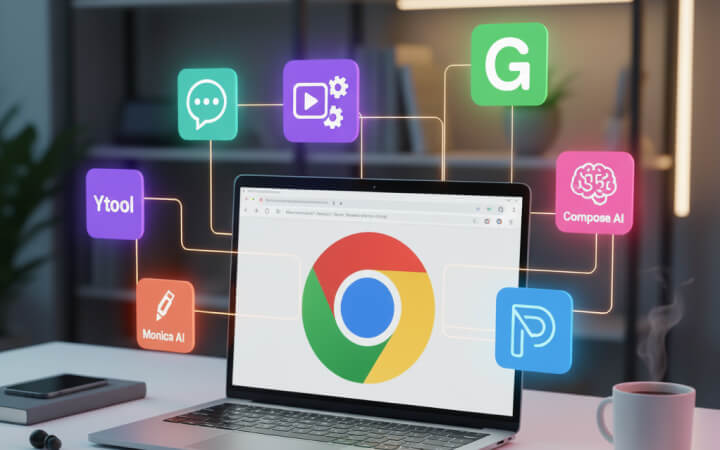
🧠AI Has Entered Your Browser
Imagine opening your Chrome browser — and instead of just browsing the internet, you have a smart assistant living inside it.
That’s what AI Chrome extensions do.
They help you write, summarize, reply, translate, organize, and even brainstorm ideas — all without leaving your browser tab.
In 2025, these extensions have become must-have tools for students, professionals, content creators, and entrepreneurs.
Let’s explore the Top AI Chrome Extensions that can make your online life smarter and faster 👇
✍️ 1. ChatGPT for Chrome — Your AI Assistant Everywhere
Website: https://chat.openai.com
Best for: Writing, summarizing, and answering questions anywhere online
This is the official (and most useful) AI Chrome extension by OpenAI.
It integrates ChatGPT directly into your browser — letting you generate responses, summarize content, and even draft emails without switching tabs.
⚙️ Key Features:
- Use ChatGPT on any webpage
- Right-click → “Ask ChatGPT”
- Works on Gmail, Twitter, Docs, and more
- Quick summarization and rephrasing
💡 Example Use:
Highlight a paragraph → Right-click → “Explain with ChatGPT.”
Boom — instant understanding!
🎯 Why It’s Great:
It’s like having ChatGPT built right into your browser — no need to open a new tab every time.
📧 2. Compose AI — Write Emails 10x Faster
Website: https://www.compose.ai
Best for: Writing emails, replies, and messages quickly
If you spend hours writing emails, Compose AI will change your life.
It integrates directly with Gmail, helping you write or complete sentences using AI-powered suggestions.
⚙️ Key Features:
- Auto-completes sentences as you type
- Suggests full email drafts
- Works in Gmail and most input boxes
- Saves up to 40% writing time
💡 Pro Tip:
Type “/shorter” or “/friendly” to instantly adjust tone and length — perfect for professionals who reply to dozens of emails daily.
📑 3. Monica AI — Your Chrome Chat Companion
Website: https://monica.im
Best for: Chatting, researching, and summarizing pages
Monica AI is a ChatGPT-powered assistant that lives in your Chrome sidebar.
You can highlight any text or article, and Monica will explain, translate, or summarize it instantly.
⚙️ Features:
- ChatGPT + GPT-4 support
- PDF summarization
- Webpage summarizer
- Context-aware conversation history
💡 Why It’s Great:
It’s perfect for researchers, bloggers, or students who read long articles — Monica saves hours of time daily.
🧩 4. Merlin AI — ChatGPT Anywhere You Browse
Website: https://merlin.foyer.work
Best for: Universal AI shortcut on any webpage
Merlin is like a keyboard shortcut to ChatGPT — press Ctrl + M anywhere, and ChatGPT pops up instantly.
It works on Google, YouTube, LinkedIn, Gmail, and any site you can imagine.
⚙️ Key Features:
- Universal ChatGPT popup
- Summarize YouTube videos & search results
- Write posts, tweets, or messages
- GPT-4 powered
💡 Why It’s Great:
Merlin gives you the power of ChatGPT anywhere without interrupting your workflow — perfect for multitaskers.
🎨 5. GrammarlyGO — AI Writing Assistant for the Web
Website: https://grammarly.com/go
Best for: Grammar, tone correction, and rewriting
You’ve probably used Grammarly before — but now, it’s evolved with GrammarlyGO, its AI-powered extension.
It doesn’t just fix grammar; it creates full content based on your intent.
⚙️ Features:
- Grammar correction & sentence rephrasing
- AI writing prompts for emails & essays
- Tone customization (formal, confident, friendly)
- Available across all web input fields
💡 Example:
Type “Write a friendly job application email” — GrammarlyGO does it instantly.
🎯 Why It’s Great:
Because it makes your online writing not just correct — but smart and natural.
💼 6. Glasp — Summarize YouTube & Articles Instantly
Website: https://glasp.co
Best for: Summarizing long YouTube videos and articles
Glasp is like an AI highlighter + note-taker.
It uses GPT-based AI to summarize YouTube transcripts, blog posts, and PDFs — all within your browser.
⚙️ Features:
- Highlight and summarize any text
- Summarize YouTube videos in one click
- Save and organize notes in the cloud
💡 Pro Tip:
Use Glasp to find the best points of long tutorials or podcasts before you even watch them — huge time saver for creators!
🚀 7. Ytool — The AI Extension for Content Creators
📲 Website: https://play.google.com/store/apps/details?id=com.clagt.ytool&hl=en_IN
Best for: YouTube & SEO optimization, content idea generation
Ytool isn’t just a mobile app — it also works perfectly with Chrome for creators who want to plan, optimize, and grow their online content faster.
⚙️ Key Features:
- AI-based keyword generator
- YouTube title & tag suggestions
- SEO performance analyzer
- Trend discovery & insights
💡 Why It’s Perfect for Chrome Users:
You can research video topics or blog ideas directly while browsing YouTube or Google, without switching tools.
🧩 Combine it with ChatGPT + GrammarlyGO = Complete AI Content Suite.
📈 8. Wiseone — Smarter Reading and Research
Website: https://wiseone.io
Best for: AI fact-checking and summarizing web content
Wiseone uses AI to make reading and understanding online content much easier.
It automatically detects complex terms, provides definitions, and verifies facts with credible sources.
⚙️ Features:
- Instant fact checks
- Auto summaries of news and blogs
- Word meaning explanations
💡 Why It’s Great:
Perfect for journalists, researchers, and learners who read a lot online.
🔍 9. Jasper Chrome Extension — Write Like a Pro
Website: https://www.jasper.ai
Best for: Marketing, social media captions, and blog drafts
Jasper (previously Jarvis) is one of the most powerful AI writing assistants, and its Chrome extension brings that power anywhere on the web.
⚙️ Features:
- Generate ad copy, posts, or emails
- Auto-translate tone and structure
- Uses GPT-4 and proprietary models
💡 Pro Tip:
Perfect for marketers and business owners who need fresh content daily without burning out.
🧭 Conclusion: Your Browser, Upgraded with AI
In 2025, your browser isn’t just a tool to browse — it’s your personal AI workspace.
With these AI Chrome extensions, you can:
✅ Write faster
✅ Learn smarter
✅ Save time
✅ Automate repetitive work
Let’s recap 👇
- ChatGPT for Chrome → All-purpose AI
- Compose AI → Write emails faster
- Monica AI → Summarize and chat
- GrammarlyGO → Professional writing help
- Glasp → Instant summaries
- Ytool → SEO & YouTube optimization
Start small — install 2 or 3 extensions today and see how drastically your workflow improves.
AI won’t replace your job; it’ll make you so efficient that you’ll outshine everyone else. 🚀