

🎬 Video Creation Made Effortless with AI
Creating videos used to take hours — scripting, filming, editing, voiceovers…
But now, in 2025, AI has made it possible to create stunning videos in just a few clicks.
Whether you’re a YouTuber, social media creator, or marketer, AI video generators can help you:
- Turn text into engaging videos
- Add lifelike voiceovers
- Generate animations & B-rolls
- Save hours of editing time
And the best part? Many of these tools are completely free to start.
Let’s explore the Top 5 Free AI Video Generators that every content creator should try this year. 👇
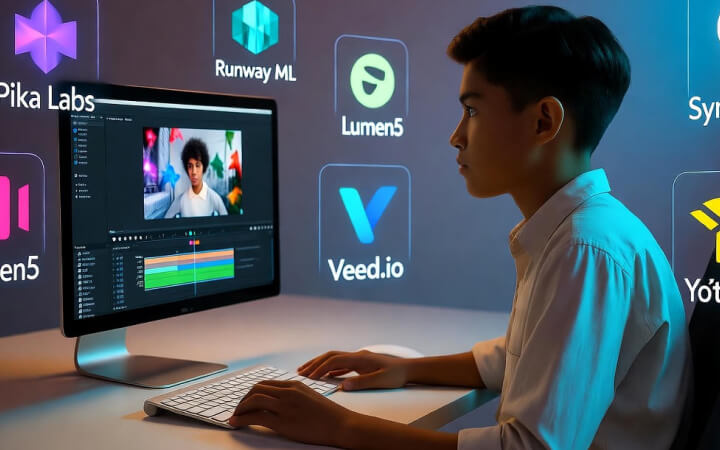
🎞️ 1. Pika Labs — The Text-to-Video Powerhouse
Website: https://pika.art
Best for: Creating cinematic AI videos from simple text prompts
Pika Labs is one of the most exciting AI video generators in 2025.
You just type what you imagine, and Pika turns it into a realistic short clip — complete with motion, lighting, and atmosphere.
⚙️ Features:
- Text-to-video generation in seconds
- Realistic motion effects & dynamic lighting
- 16:9, 9:16, and square aspect ratios
- Free plan with high-quality exports
💡 Example Prompt:
“A futuristic city glowing with neon lights and flying cars at night.”
💰 Perfect For:
YouTube B-rolls, storytelling, explainer videos, and background visuals.
🧩 Pro Tip:
Use ChatGPT to write short cinematic scripts → Feed them to Pika Labs → Edit and upload → Optimize with Ytool for tags & SEO.
🧠 2. Runway ML — The Professional AI Video Studio
Website: https://runwayml.com
Best for: Editing and enhancing videos with AI tools
Runway ML is like having an AI-powered version of Adobe Premiere Pro — but simpler.
It lets you remove backgrounds, generate motion, upscale videos, and even create entirely new scenes using text prompts.
⚙️ Key Features:
- Text-to-video (Gen-2 model)
- Remove objects or backgrounds instantly
- AI motion tracking
- Green screen without a green screen
💡 Ideal For:
Content creators who want advanced features like AI rotoscoping, video upscaling, and visual effects — all online.
🎬 Pro Tip:
Use it to edit YouTube Shorts or Reels quickly without needing a high-end PC.
🗣️ 3. Synthesia — The AI Presenter Tool
Website: https://www.synthesia.io
Best for: AI avatar videos & training/explainer content
Synthesia lets you create talking avatar videos from plain text.
You don’t need a camera, mic, or actors — just type your script, choose an avatar, and generate your video.
⚙️ Features:
- 140+ AI avatars (with realistic lip sync)
- 120+ languages
- AI voice narration
- Custom brand templates
💰 Use Case:
Perfect for educational videos, corporate explainers, or YouTube faceless channels.
🧩 Pro Tip:
Use ChatGPT to write the script, Synthesia to generate the video, and Ytool to find the perfect title & tags before uploading.
📱 4. Lumen5 — Turn Text & Blogs into Videos
Website: https://www.lumen5.com
Best for: Converting blog posts into video summaries
Lumen5 is one of the easiest tools for bloggers, social media marketers, and educators.
You paste your text or article link, and the AI automatically converts it into a video with matching visuals and music.
⚙️ Key Features:
- AI-powered text-to-video generation
- Stock media library
- Brand templates
- Social media aspect ratios (1:1, 16:9, 9:16)
💡 Example Use Case:
Repurpose your blog “Top 10 AI Tools” into a YouTube video in just 5 minutes.
💰 Monetization Tip:
Use this to create YouTube Shorts, LinkedIn clips, or Instagram reels promoting your affiliate blogs or products.
💻 5. Veed.io — The Free Online Video Editor with AI
Website: https://www.veed.io
Best for: Quick editing + automatic subtitles + social content
Veed.io is a free browser-based video editor powered by AI — perfect for creators who want speed without complexity.
⚙️ Features:
- Auto subtitles in 100+ languages
- AI voiceover & translation
- Auto-cut silences
- Custom branding options
💡 Why It’s Great:
It’s beginner-friendly and ideal for creating polished content fast — no downloads needed.
🎬 Pro Tip:
Combine Veed.io with Pika Labs for visuals and Ytool for keyword optimization to build a complete AI-powered content workflow.
⚡ Bonus: Ytool — The Ultimate AI Companion for Creators
📲 Download Free: Ytool on Google Play
Best for: YouTube SEO, keyword research, and performance analytics
While the other tools help you create, Ytool helps you grow.
It’s built specifically for creators who want to turn videos into revenue.
🔹 Key Features:
- AI keyword & title generator
- SEO optimization for YouTube & blogs
- Tag & caption creator
- Trend analyzer for content planning
💡 How to Use It:
After creating your video using Pika Labs or Runway ML, upload it to YouTube and open Ytool to:
- Find top-ranking tags
- Optimize your video title & description
- Track performance analytics
👉 Result: More visibility, higher engagement, and faster monetization.
🎯 Conclusion: AI is Your New Editing Partner
You no longer need to hire editors or spend hours learning complicated software.
With these free AI video generators, anyone — even without experience — can produce professional-quality videos.
Let’s recap 👇
✅ Pika Labs — Text-to-video cinematic generator
✅ Runway ML — AI-enhanced video studio
✅ Synthesia — AI avatar & talking videos
✅ Lumen5 — Convert text/blogs to videos
✅ Veed.io — AI-powered online editor
🔥 Bonus: Ytool — Optimize & grow your YouTube reach
So stop waiting for “the perfect camera” —
The future of content creation is already here. Use these tools, experiment, and let AI do the heavy lifting while you focus on storytelling.